Case study
Home healthcare operations system
The visit plan sets the calendar.
We’re building an operations system for a private home healthcare provider. A coordination desk sits at the centre, with nurses, physiotherapists and doctors in the field; the route and the bag both follow from the visit plan.
- Product
- Visit planning and field operations for home healthcare
- Scope
- Product design, web panel, field app
- Platform
- Web panel and an installable web app for phones
The need
In home healthcare, the work doesn’t fit inside one building. Requests come by phone, by message or from a hospital’s discharge team; the plan sits in a spreadsheet and the day’s changes in a group chat. The bag runs out at the door, and a relative rings to ask where the team is.
And this is health data. It has to be clear who opened which file and who saw what, and which version of the plan the doctor signed off.
The solution
The plan starts with the doctor’s sign-off
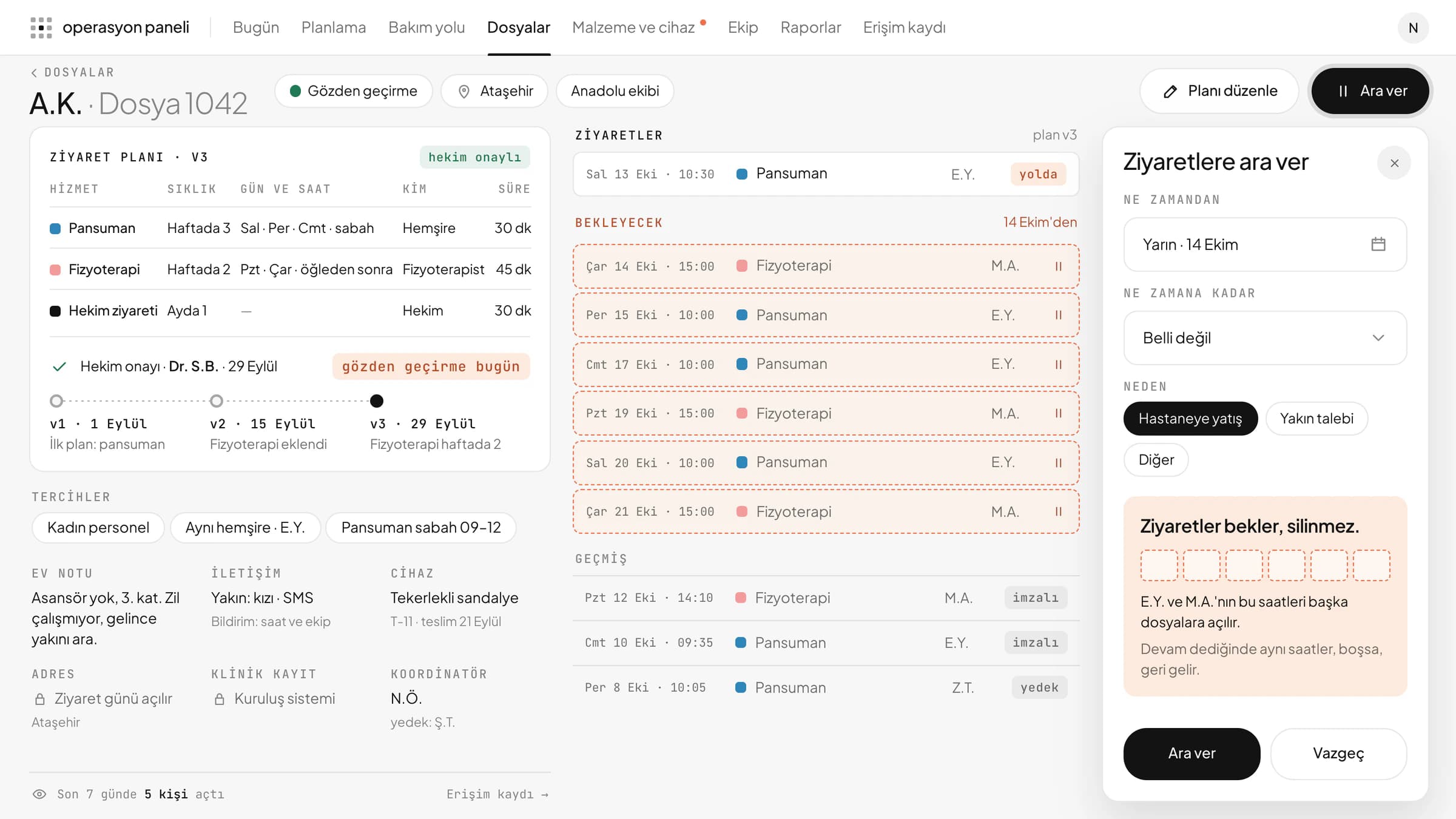
The service, frequency, days and times are entered once, and the visits on the calendar come from that plan. The doctor’s sign-off is tied to a specific version of the plan.
When care pauses, visits wait
When a patient is admitted to hospital, visits aren’t deleted; they’re put on hold. On “Resume”, the same times come back, if they’re still free.
The system asks before a visit changes area
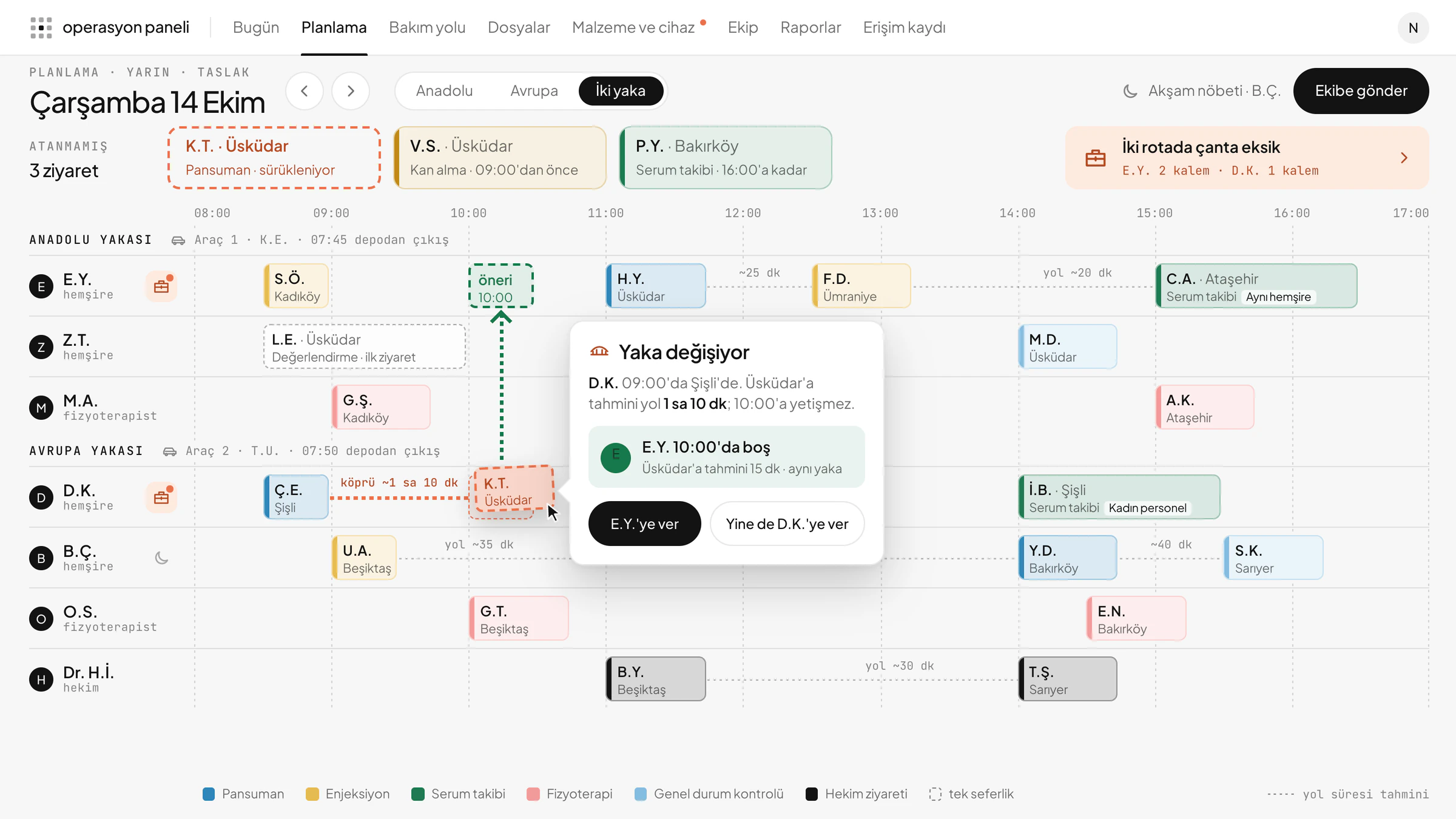
If you give a visit to someone in a distant area, the system stops and suggests someone who already knows the patient and is free nearby. It doesn’t draw routes; it shows the estimated journey between districts and leaves the decision to you.
The bag knows the route
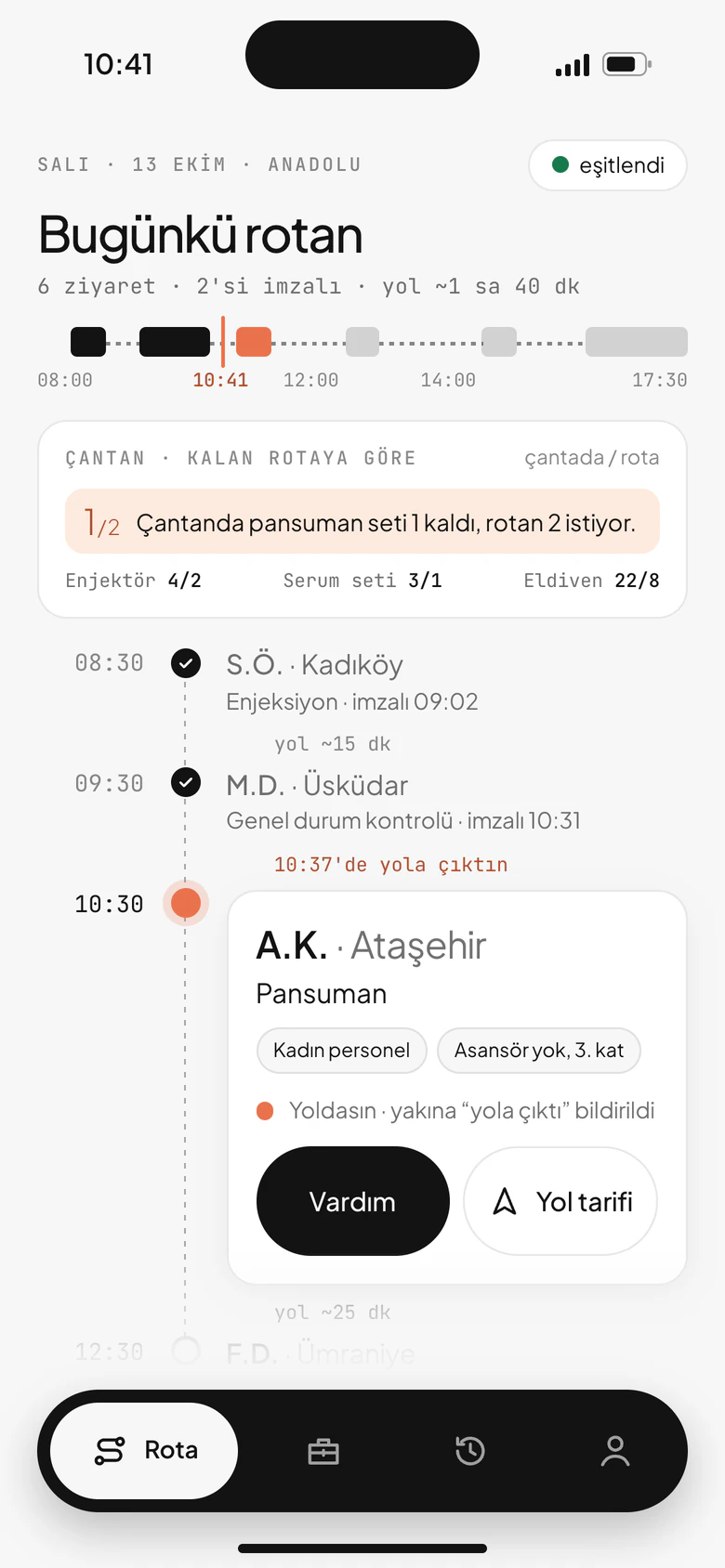
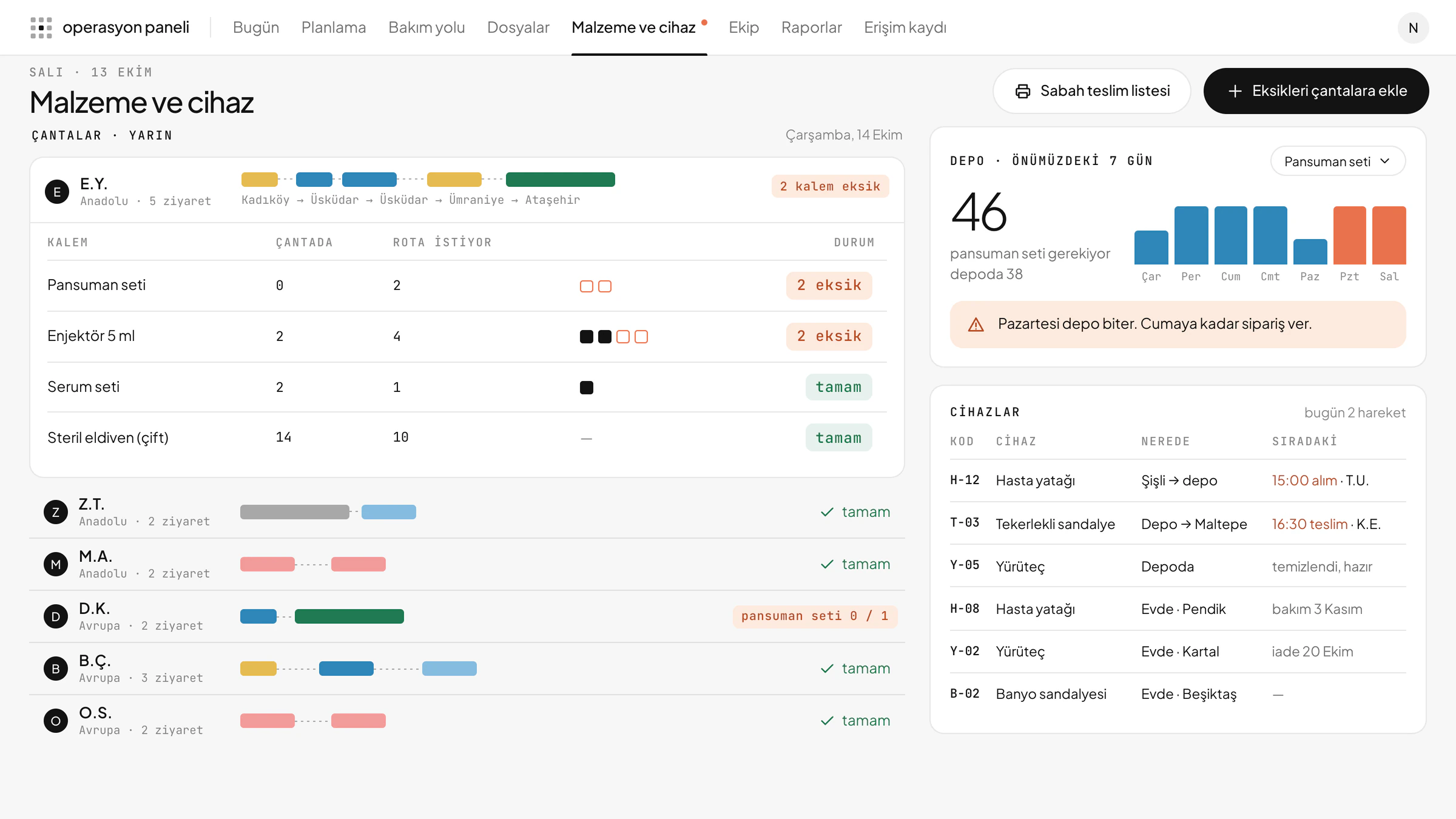
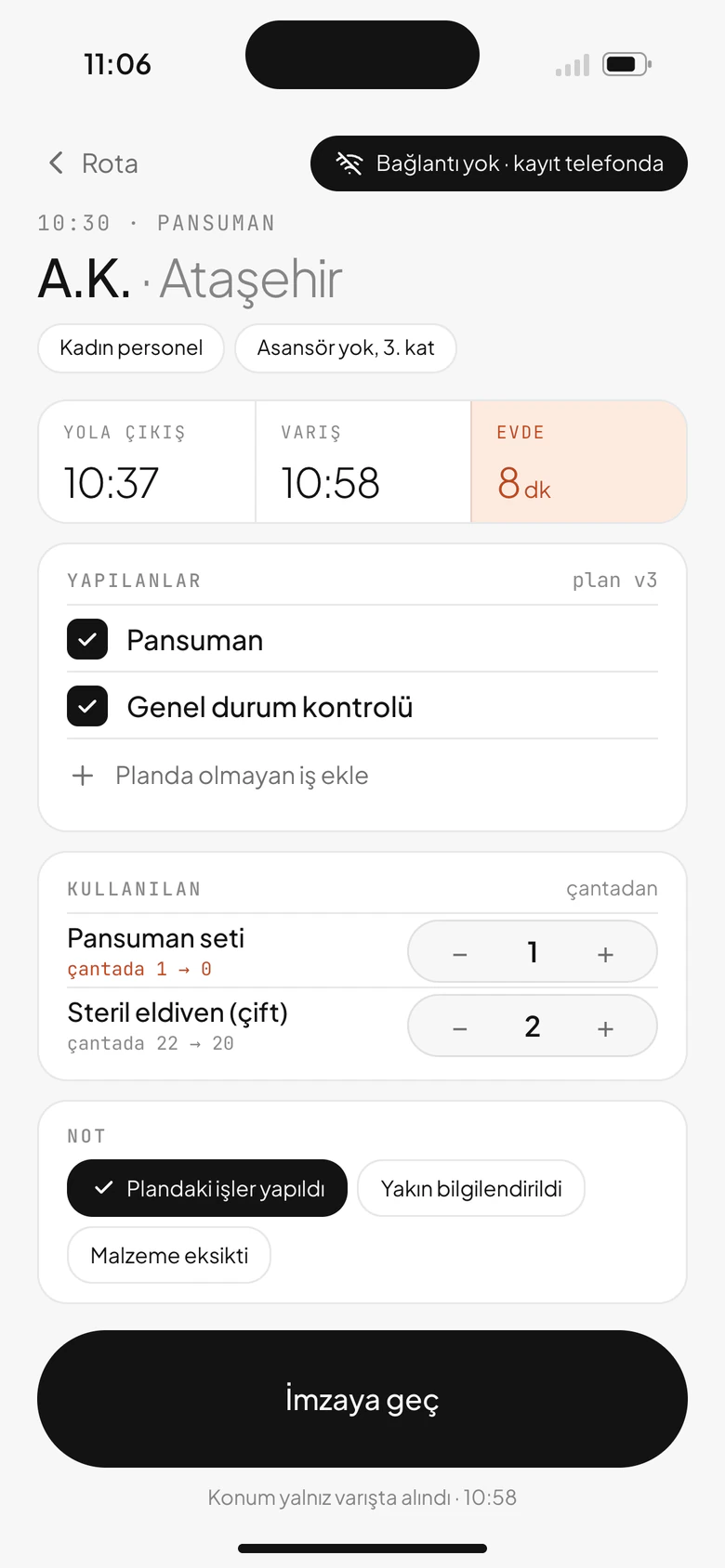
Every service has a supply list. Tomorrow’s visits show what the bag is missing, and supplies that are used come off the bag’s list when the visit is closed.
Everyone sees their part of the job
The driver sees the address and the time, not the service. A message to the patient’s relative gives the visit time, not the service. Location isn’t tracked through the day, and each time a file is opened, the access log records it.
Clinical records stay where they belong
Examination and treatment records stay in the provider’s own system. This system plans and tracks visits; no diagnosis is written into it.
Home healthcare operations system
Illustrative screen. All data is fictional.
How it works
The planning board opens laid out by staff and time, with unassigned visits waiting at the side. Drag a visit onto someone in another area and a warning appears, with a suggestion of who is free nearby. If a bag is short for tomorrow’s routes, it shows at the top of the board.
Nurses, physiotherapists and doctors see the day’s order on the phone: the visits, the travel time between them, what’s missing from the bag. Taps on “On my way” and “Arrived” reach the panel too, so the coordinator sees a late visit from the desk. Location is recorded only once, when “Arrived” is tapped.
The coordinator at the desk, the nurse at the door
Coordinator, lead nurse, lead doctor, manager
Coordination panel
Planning, requests, files, supplies and equipment, team.
Nurse, physiotherapist, doctor, driver
Field app
The day’s route, visit record and bag; for drivers, only the order, time and address.
The path of a file
Request
First call
Assessment
Visit plan
In care
Review
Closed
System rules
waits Visits aren’t deleted during a pause; each one waits, and on “Resume” the same times come back if they’re free.
asks When a visit moves to another area, the system asks first and suggests someone free nearby.
bag The bag knows the route: tomorrow’s visits show which supplies are missing.
doorstep Location isn’t tracked through the day; it’s recorded once, at the doorstep, when “Arrived” is tapped.
The system rests on these decisions.
Next project
Fefacollab
Three screens, one process.
Influencer collaboration ecosystem
Read the case study