Skip to content

Still running on spreadsheets?

Software built around your
company.

The desk gets its own, the field gets its own. We build the software around the way your business works: screens, buttons and reports stay the way your team is used to.

Illustrative screen. All data is fictional.

  • admin panels
  • field apps
  • roles and permissions
  • workflow stages
  • approval records
  • reporting
  • notifications
  • interface design
  • mobile apps
  • customer portals

Approach

Design and code, from one place. Design doesn’t get lost in code, and code doesn’t wait on design.

What the user needs to do, how the screens flow, and the tools the team uses to run it all are all part of the same software. So we build all of it from one place.

Design and software: without both, there’d be no fefacode.

tone — design
threshold — code
dot — product

Every dot on this site is printed by one rule: design gives each cell a colour, code checks each cell one by one, and if the colour value passes the limit, the cell turns into a dot.

What we do

The side of the software you see, and the side you don’t.

Each one is described by the job it makes easier for you.

  1. Custom operations software

    The office team sees pending work, approvals and reports in one panel. The team at the desk is never left in the dark about the team in the field.

    • admin panel
    • field app
    • reporting
  2. Stages and roles that fit your work

    You don’t have to give up your jargon: screens, buttons and reports stay the way your team is used to. The work being done sets the level of access, and everyone sees only what they need to see.

    • workflow stages
    • roles and permissions
    • approval records
  3. Interface and experience design

    Your team knows what to do at first glance, even at the busiest moment in the field. We map the flows, draw the panel and phone screens, and keep the software speaking one language from start to finish.

    • user flows
    • panel and phone screens
    • design system
  4. An app for your idea

    We build the app you have in mind, starting with its first version: the phone screens your users see and the panel that runs everything behind the scenes. That’s how we built fefacollab.

    • mobile app
    • web portal
    • admin panel

Selected work

Showing beats telling.

From real-estate sales to multi-brand production, from congress guests to home healthcare: in each one, the stages follow that company’s own way of working.

Illustrative screen. All data is fictional.

Sales and operations platform

Puento

The sales team’s whole day, in one panel.

A team that markets real-estate projects keeps lead tracking, appointments, offers, field work, finance and reporting in one panel. Managers work from the desktop, the field team from their phones.
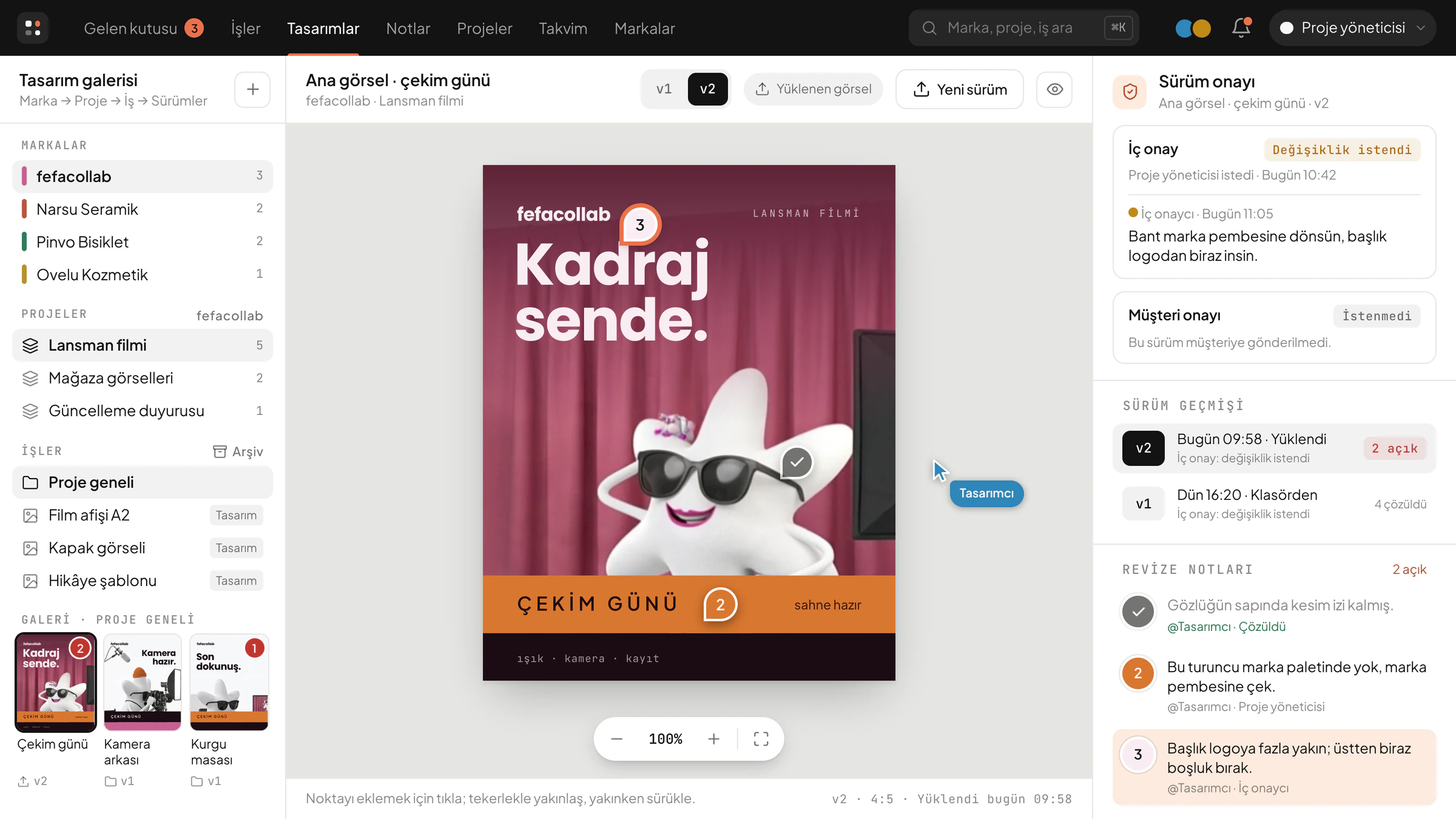
  • Illustrative design review screen: a brand, project and job gallery on the left, an image with revision points marked in the middle, and version approval and revision notes on the right.
    Illustrative screen. All data is fictional.

    Production and approval platform

    Explaining a revision shouldn’t take a novelist.

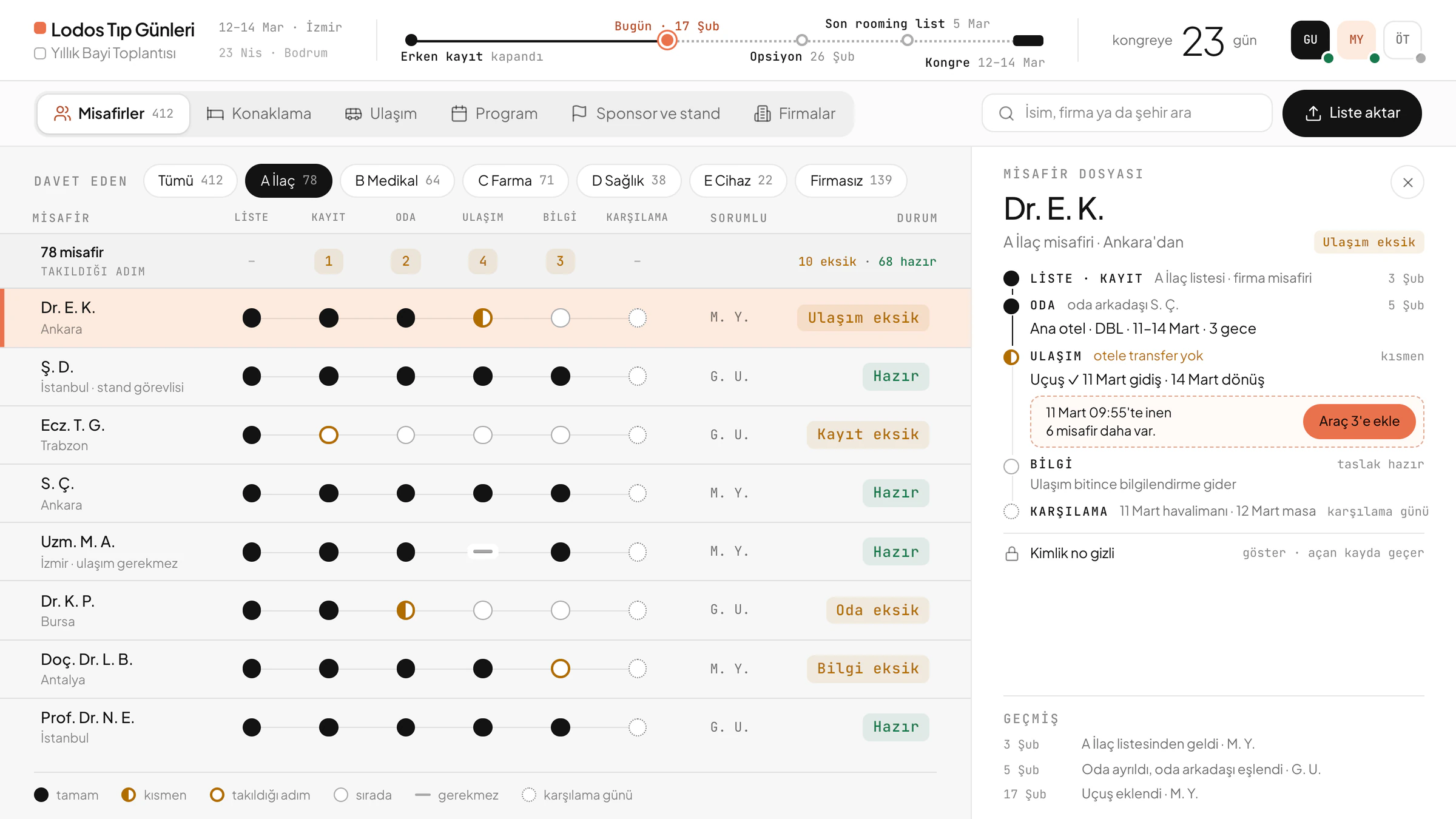
  • Illustrative guest list: the step each file is stuck on, and an open guest file with the registration, room, travel, joining instructions and arrival steps.
    Illustrative screen. All data is fictional.

    Congress management system

    One guest, one file.

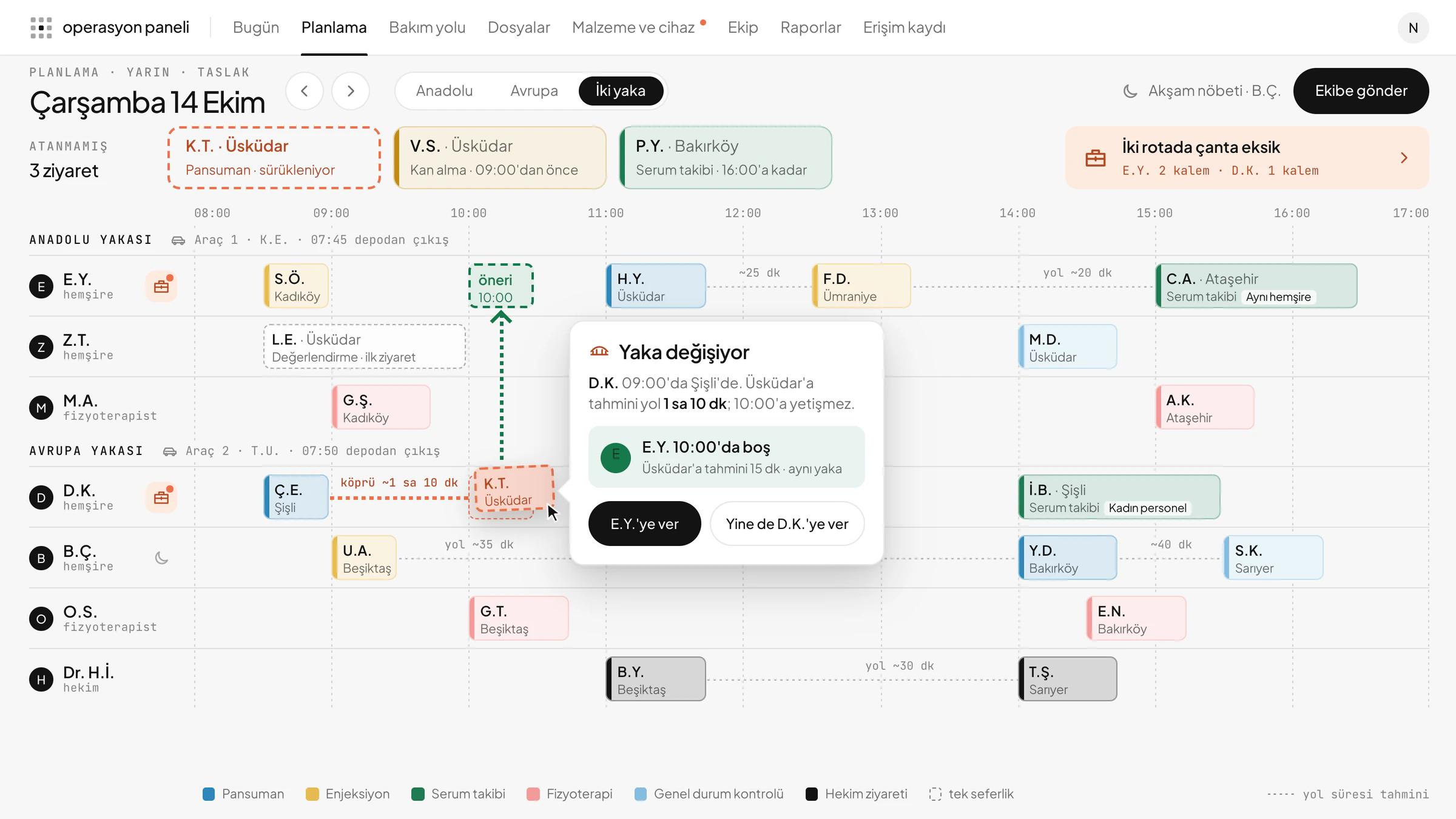
  • Illustrative planning board: tomorrow’s visits laid out by staff and time, unassigned visits and a change-of-area warning.
    Illustrative screen. All data is fictional.

    Home healthcare operations system

    The visit plan sets the calendar.

  • brand.fefacollab.com
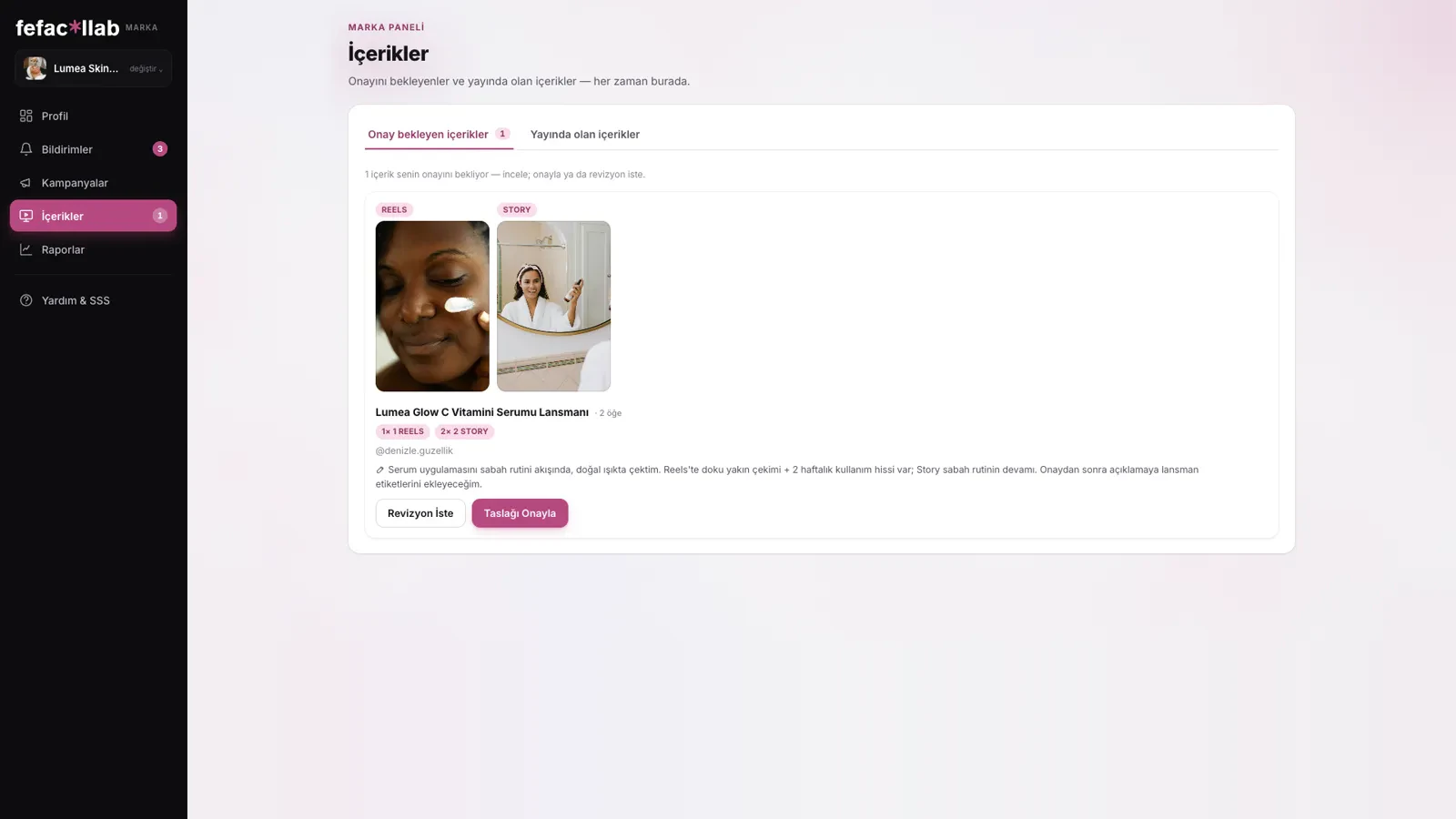
    Content awaiting approval in the brand portal: draft visuals with request revision and approve buttons.
    The product’s own screen. The campaign shown is a sample.

    fefacollab

    Three screens, one process.

    Influencer collaboration ecosystem

Who we work with

People who can’t find their software off the shelf.

  • Companies

    If your work runs on spreadsheets, group chats and phone calls today, we bring it all into one piece of software. The stages and roles come from the way your company works.

  • Multi-brand teams

    If one team runs the work for several brands, we build software that adapts to your work instead of making you adapt to work-tracking tools. Each brand gets its own folder and its own team, and every revision and approval goes on the record.

  • People with an idea

    If you’re a startup or have an app idea, we build the app with you, starting from the first version. We pin down what needs to exist, then design it and ship it.

How we work

First we listen, then we draw, then we build.

  1. 01

    We listen

    We learn how your work runs: who will use the product, what it has to solve, how things get done today.

  2. 02

    We design

    First: how should your screens look? You see the product and steer it before any code is written.

  3. 03

    We build

    Do the designed screens work the way they should? At every stage you have a version you can try.

  4. 04

    We ship

    Once it’s in active use, does it need new features?

Same family

Same star, different jobs.

We share a visual language, and a star, with fefasocial and fefacollab.

Contact

Tell us about your project.

Tell us in a few sentences how your work runs today and who works in the office and who in the field. If you have an app in mind, tell us about that too. In the first call, let’s talk about your work.

I’m listening.