Case study
Congress management system
One guest, one file.
We’re building a congress management system for a company that hosts guests invited by other firms. The list comes in, registration is confirmed, room and travel are booked, joining instructions go out, the guest is met.
- Product
- Congress guest management: registration, accommodation, travel, arrivals
- Scope
- Product design, web panel, field app
- Platform
- Web panel and an installable web app for phones
The need
If you run congresses, you know: one guest, scattered paperwork. Registration sits in one spreadsheet, the room in another, the ticket in an email, the transfer in yet another list. To find out whether a guest’s room is booked or who is meeting them at the airport, you have to ask several people.
Each firm sends its guest list in its own spreadsheet, and when the same person turns up on two lists, the room can be booked twice. As the hotel’s option date gets closer, empty rooms only show up once all the spreadsheets are pulled together. And everyone should see only what their job needs: ID numbers shouldn’t be on everyone’s screen.
The solution
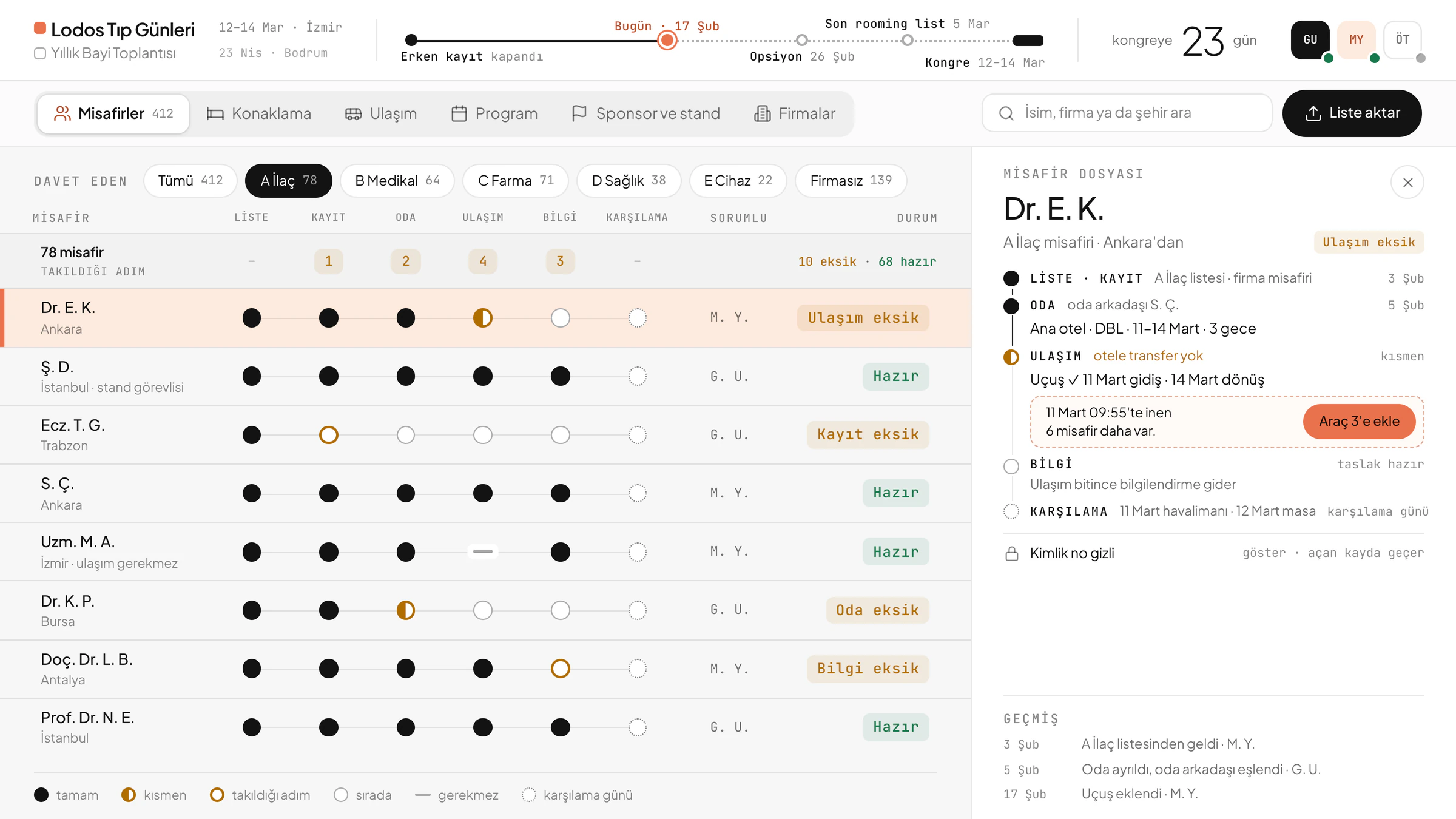
One file per guest
Registration, room, travel, joining instructions and arrival sit on the same card. A step that isn’t needed doesn’t count as missing: a guest from the host city needs no flight, and their file is still ready.
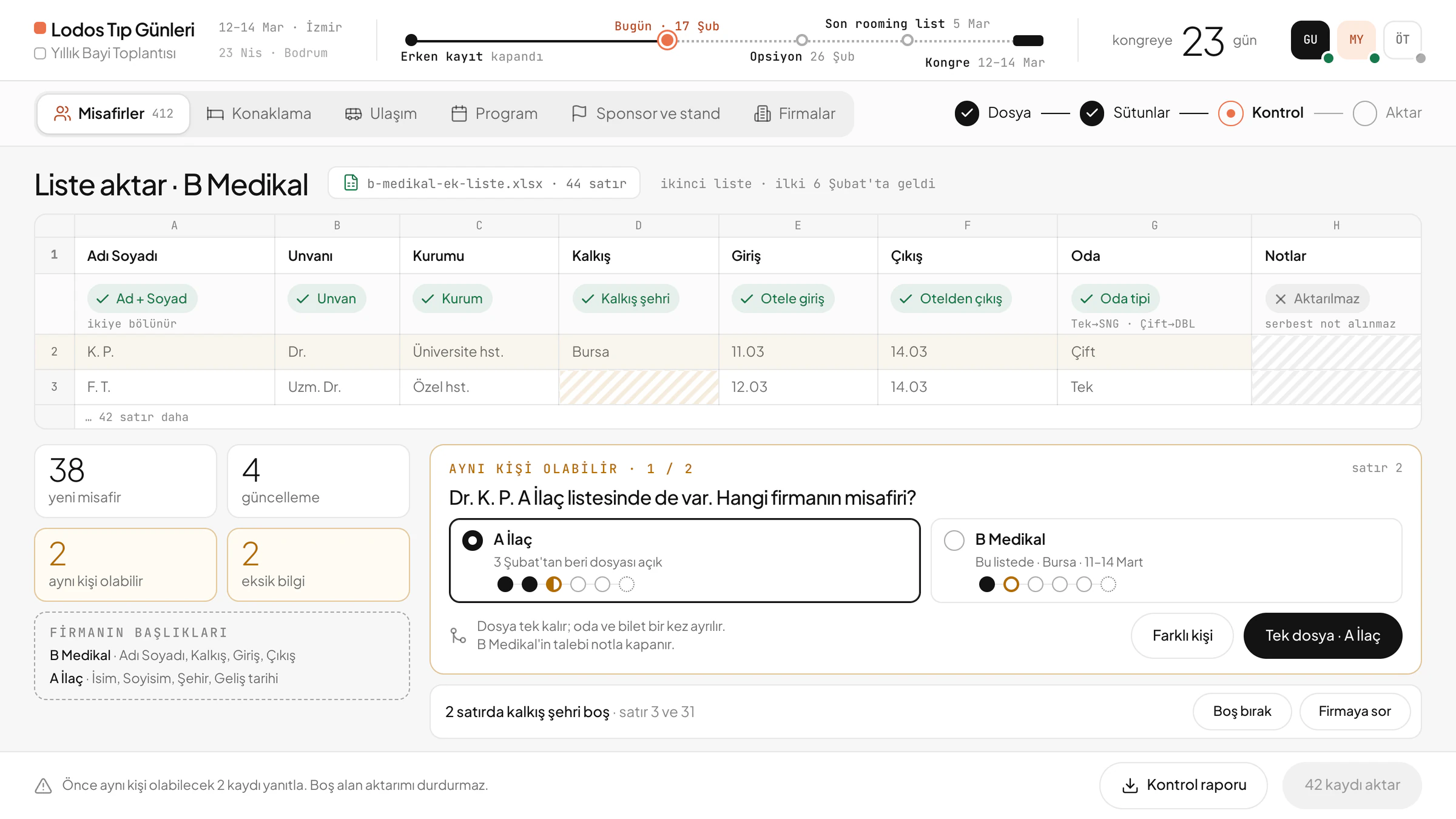
A firm’s list is matched column by column
Lists with differently worded headings are matched too. If the same person is on two lists, the system asks before importing: whose guest are they? The room and ticket are booked once.
Time left to the option date, always on screen
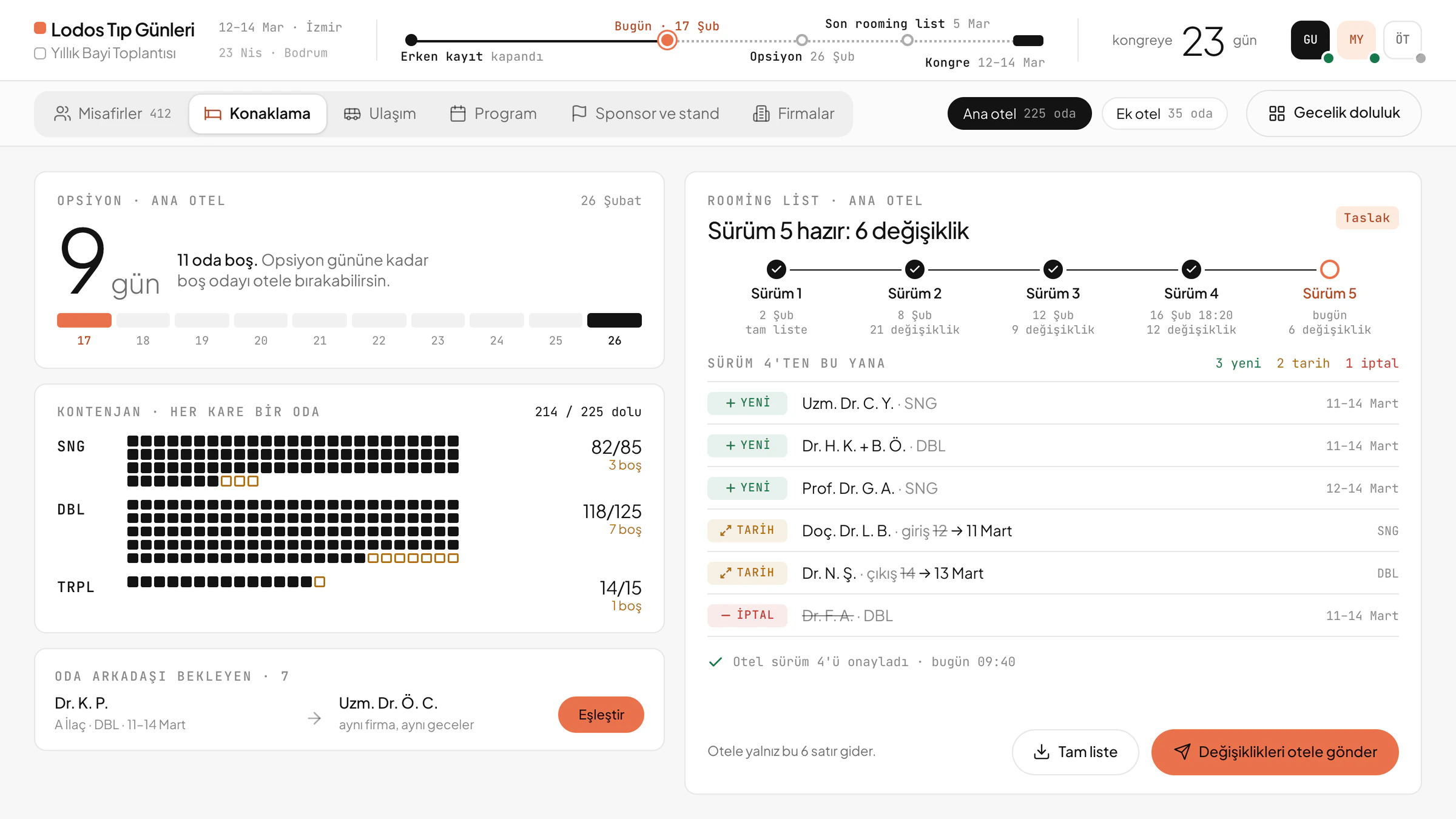
The room allocation is tracked by hotel and room type, and guests from the same firm staying the same nights are suggested as roommates. The rooming list is versioned, and only what has changed since the last send goes to the hotel.
Vehicles follow landing times
Guests landing close together are suggested for the same vehicle. Once the ticket and transfer are set, the joining instructions go out, and only then is the file ready.
Arrivals on the phone
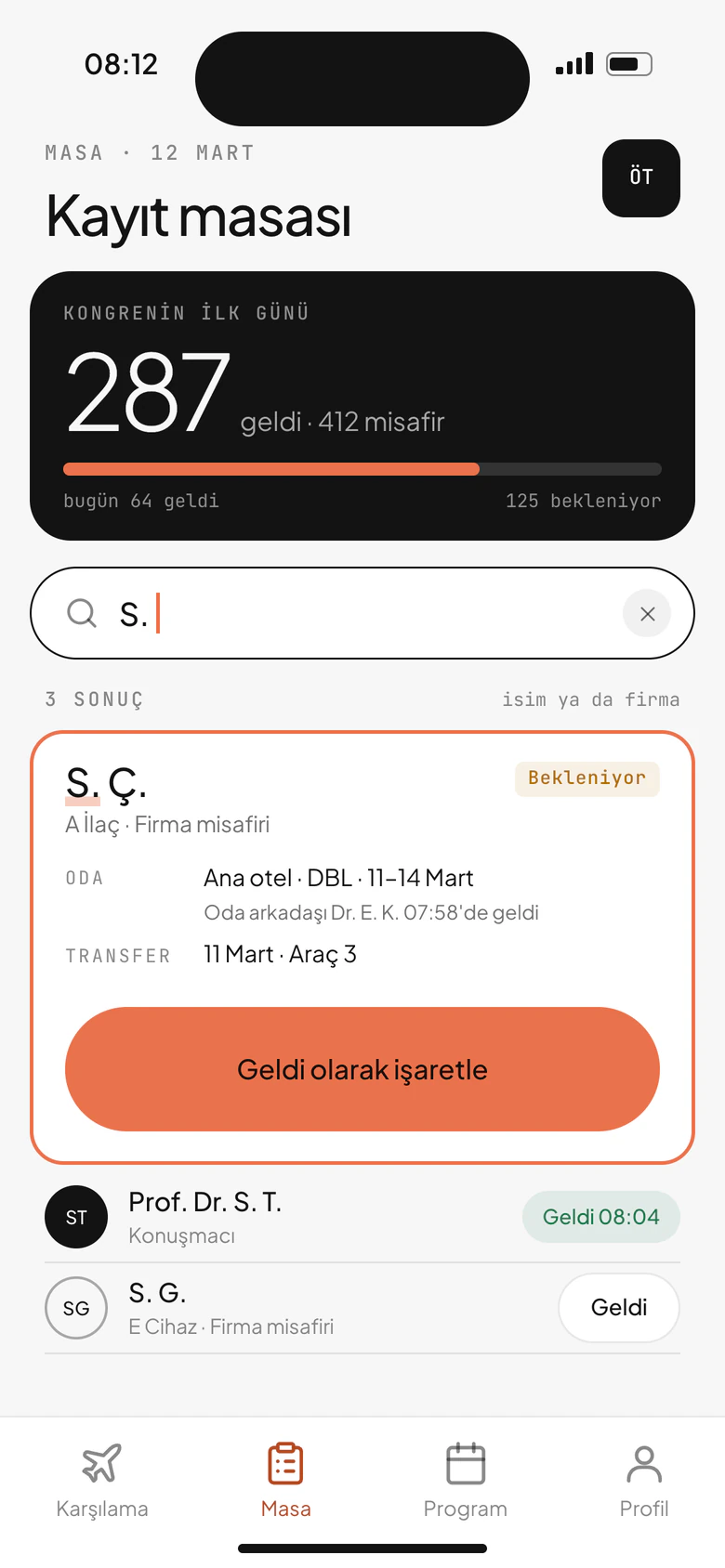
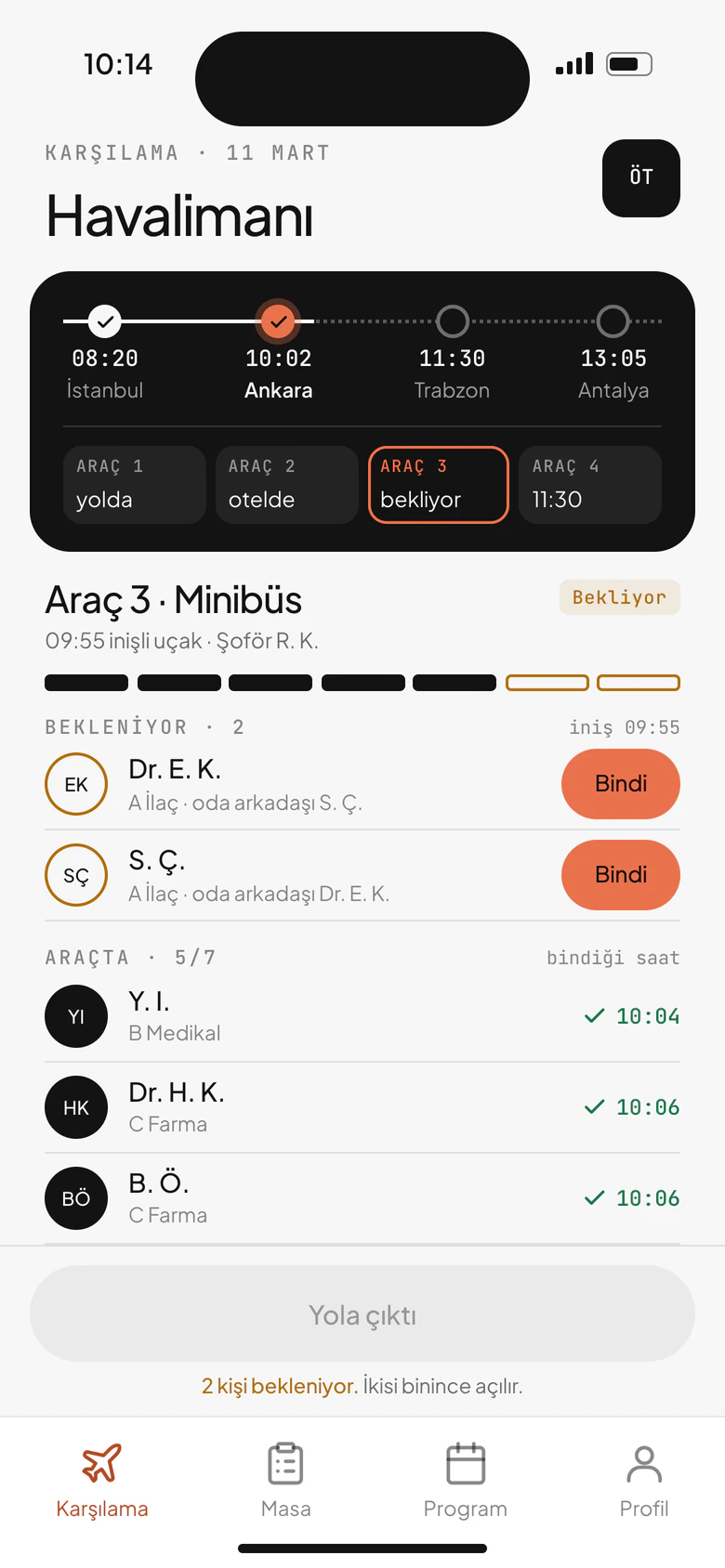
At the airport, the phone shows which flight each guest is on, who is in the vehicle and who is still expected. At the registration desk, the guest is found by name and marked “arrived”.
One list, a screen for each job
The team works on the same list at the same time, and each person sees only the screens their job needs. ID numbers stay masked; whoever reveals one goes on the record.
Congress management system
Illustrative screen. All data is fictional.
How it works
The guest list shows which step each file is stuck on. Open a file and the missing step and the next task sit on the same card; if other guests land around the same time, a vehicle suggestion appears there too.
In the field, the phone does two jobs. At the airport, guests are ticked off as they board, and the file updates when the vehicle sets off; at the registration desk, the guest is looked up by name and marked “arrived”. Whatever is marked on the phone shows up in the file on the panel.
Prepared in the office, met at the airport
Congress manager and the operations team
Office panel
Guests, list import, accommodation, travel and joining instructions.
Meet-and-greet team
Field app
Airport arrivals, the “arrived” mark at the registration desk, guest search.
The path of a guest
List
Registration
Room
Travel
Joining info
Arrival
System rules
single Every guest has a single file; a step that isn’t needed doesn’t count as missing.
column A firm’s list is matched column by column, even when its headings differ.
option Time left to the option date is always on screen; only the changes go to the hotel.
masked ID numbers stay masked; whoever reveals one goes on the record.
The system rests on these decisions.
Next project
Home healthcare operations system