Case study
Production and approval platform
Notes on the spot, approvals per version.
We built this platform for a single team that produces strategy, copy, design and shoots for many brands. It carries a job from the brief to the publishing record.
- Product
- Multi-brand production and approval platform
- Scope
- Product design, web app
- Platform
- Web; the same panel works on phones too
- Technology
- Next.js, React, TypeScript, Firebase, Tiptap, Yjs, Google Drive API
The need
When one team produces the work for many brands, the note ends up in a chat, the file in a folder and the decision in a meeting. The same questions never stop: which one is final, who asked for the revision, who approved it?
Each brand needed its own folder and its own team. Strategy, copy, design and shoots had to follow one order; every revision needed a place, and every approval a version.
The solution
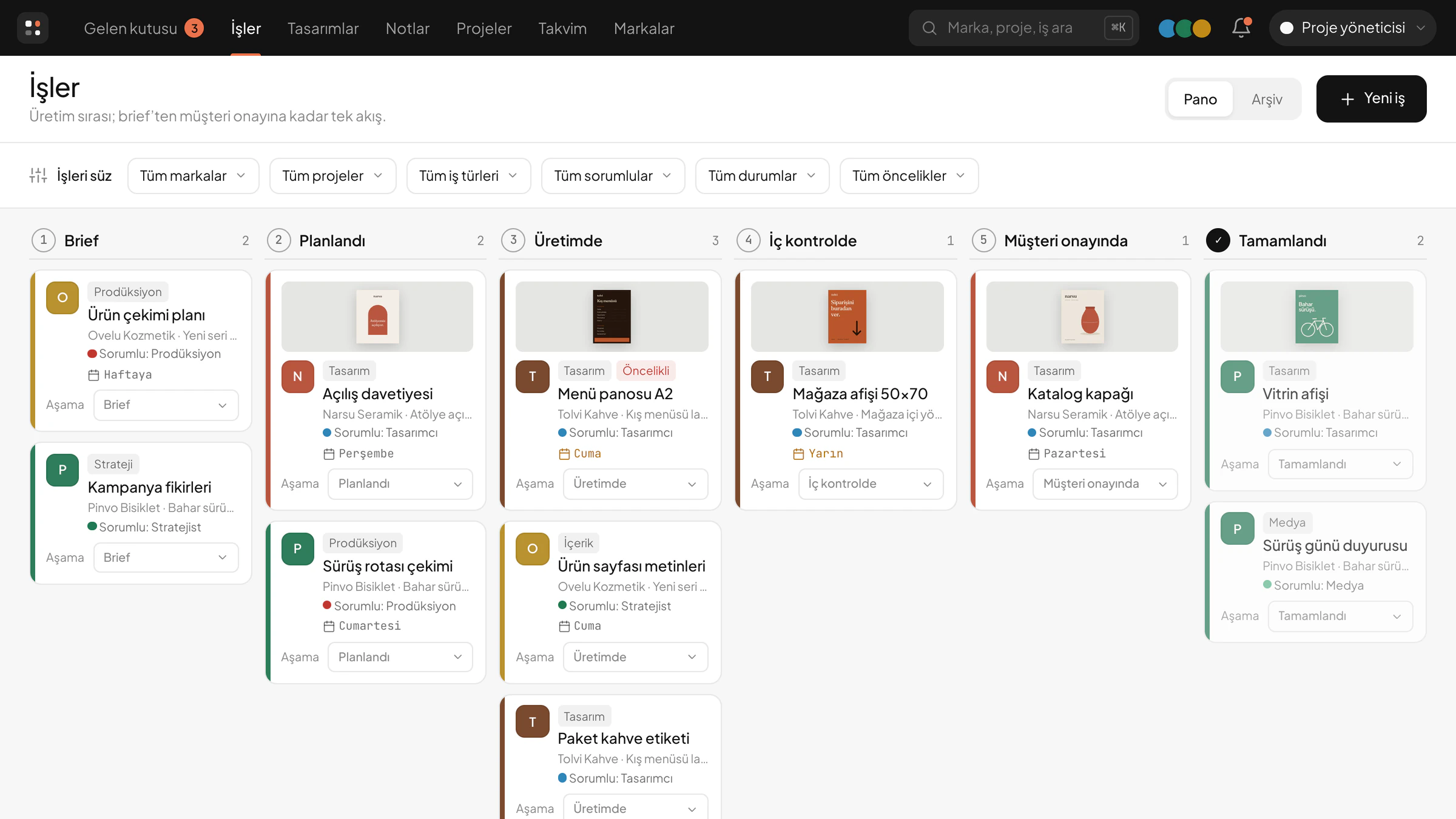
Every job under its brand, in its own order
Strategy, copy, design and shoots move across one board, through the same stages: Brief, Planned, In production, Internal check, Client approval, Done. The link to the published work goes on the record too.
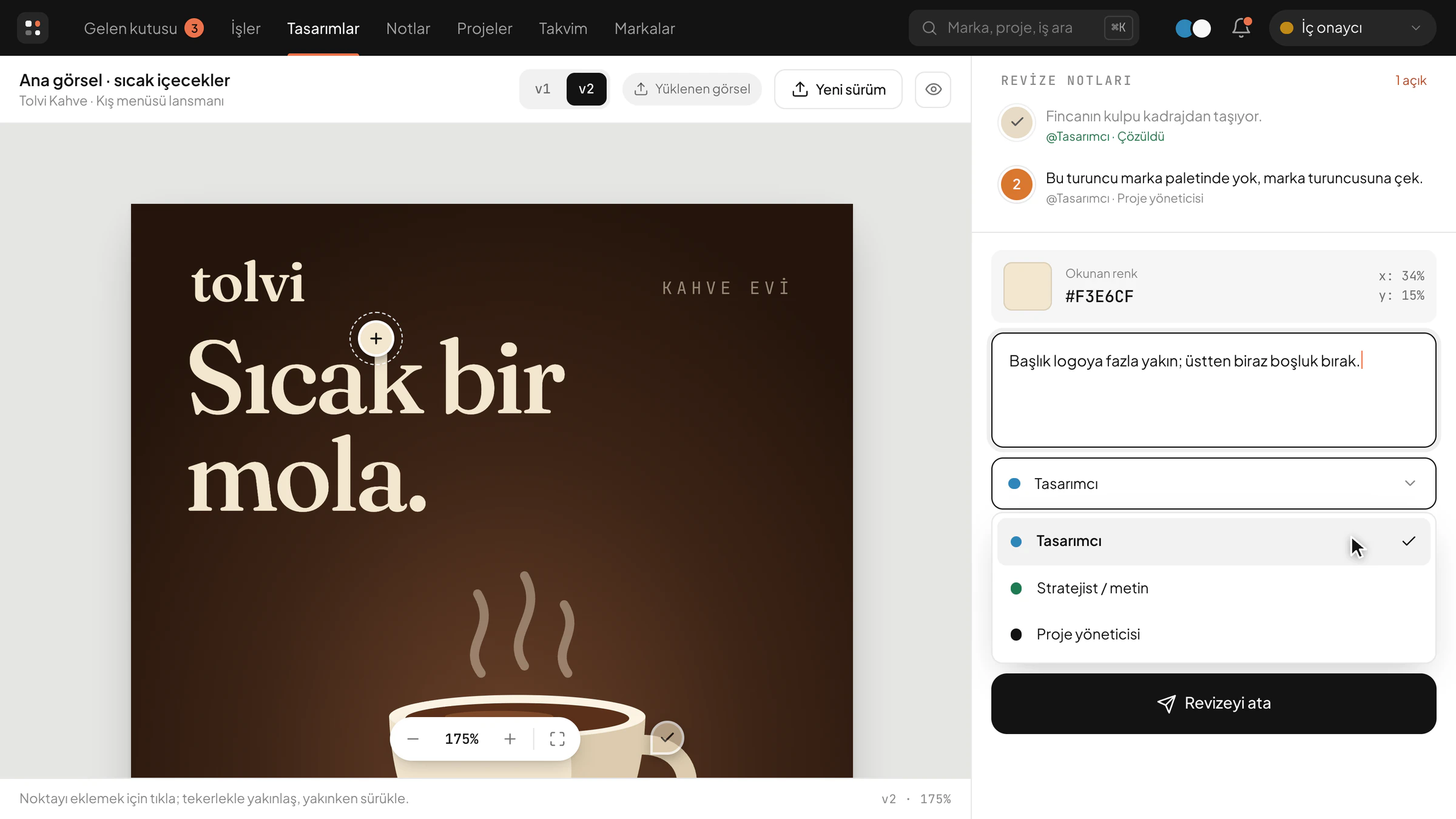
The revision, right where you click
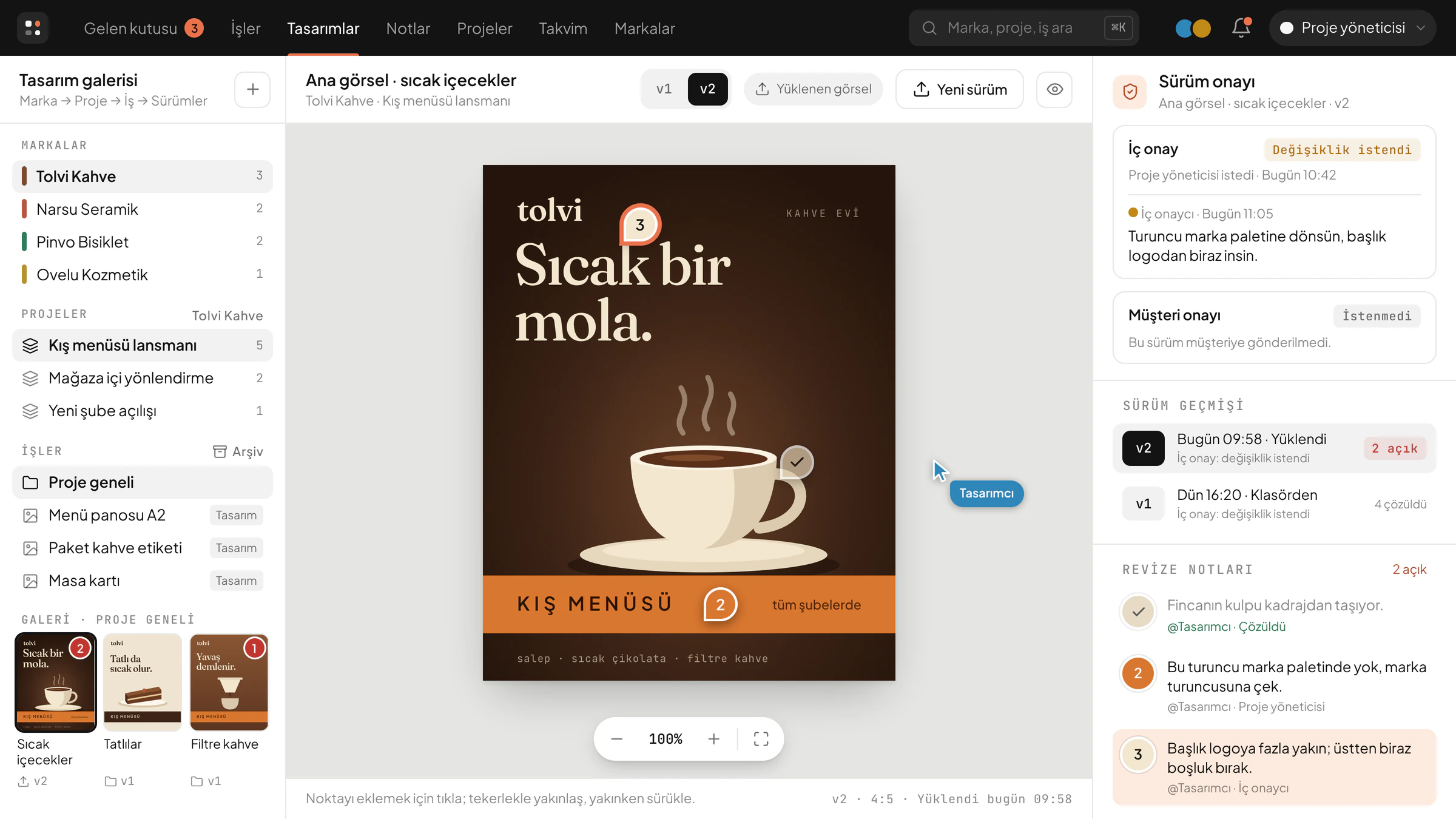
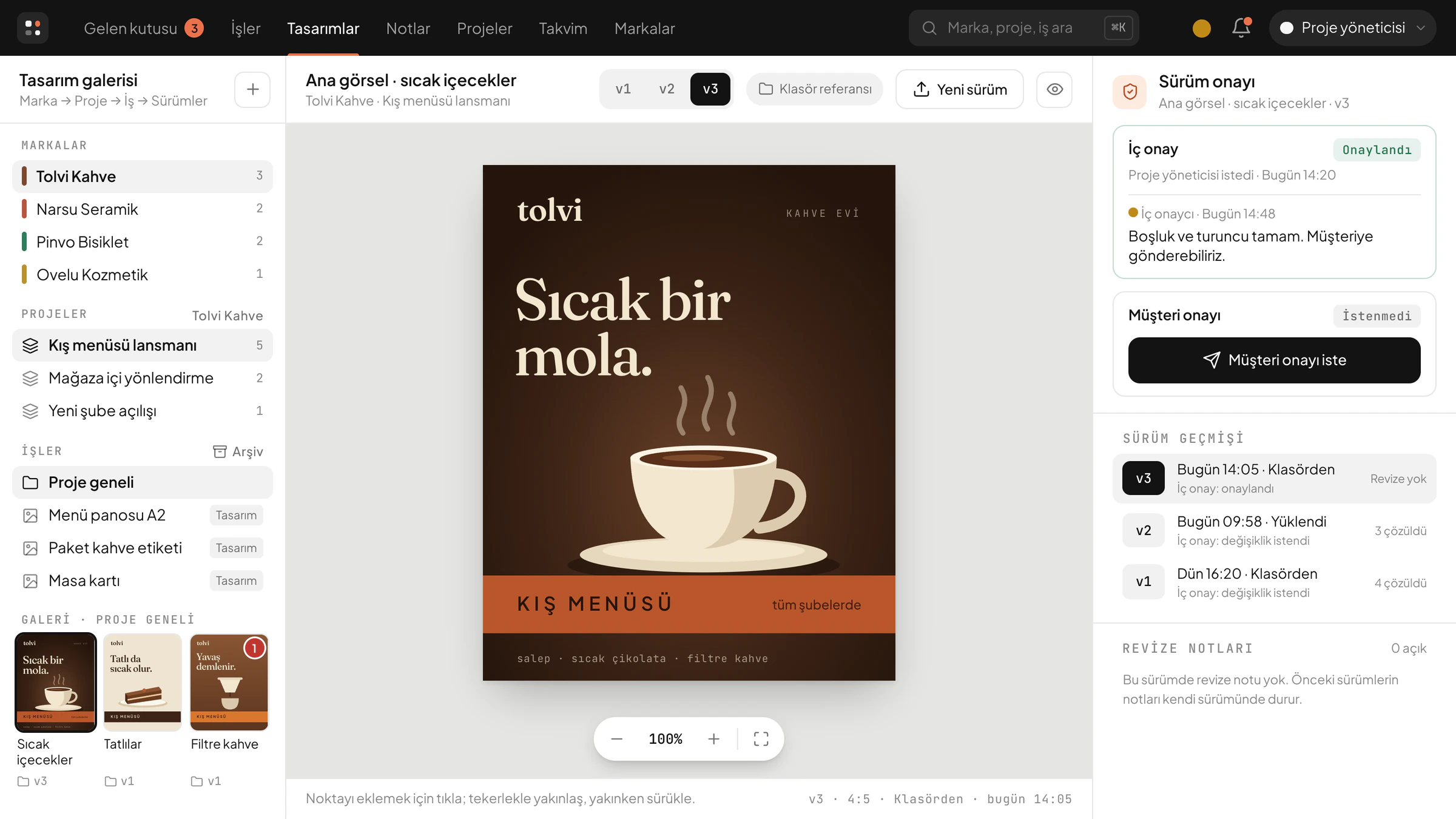
You click a point on the image, and that point’s colour and position are added to the note for you. The note lands in the inbox of the role you choose.
A new version never erases the old one
The corrected file is added as a new version; the old one stays a click away with its own notes. An image picked from Drive is copied once, so the version under review stays the same even if the file changes in Drive.
An approval stays with its version
Internal approval and client approval are separate records. A decision can’t be changed afterwards; a new version needs a new decision.
Each brand with its own team
Access is given per brand, and per project where needed. The work itself defines the roles: project manager, strategist, designer, production, media, internal approver, client approver; and on the admin side, the owner and the system administrator.
Copy is written here too
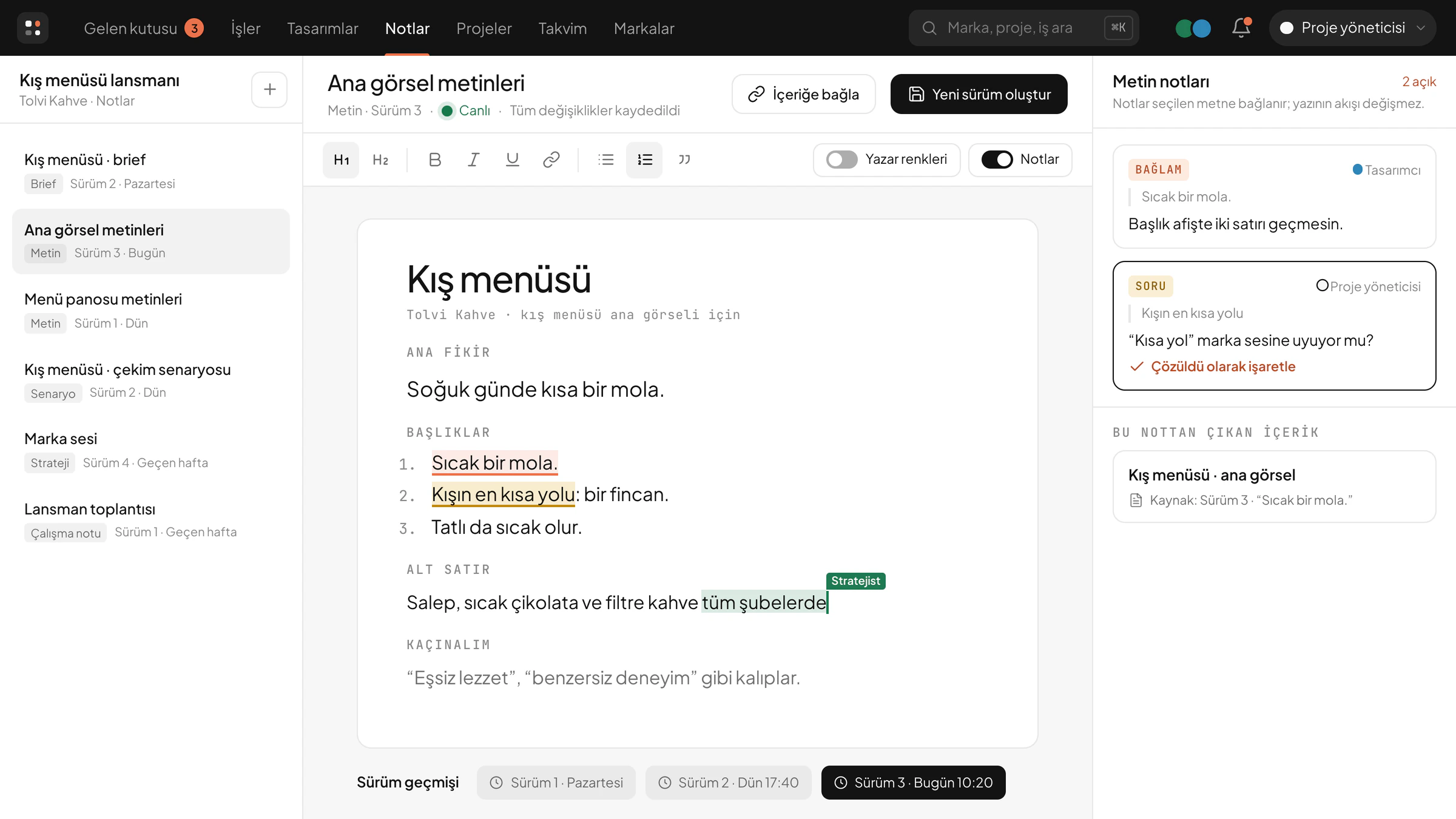
In strategy, copy, script and brief notes, the team works on the same text together. Every version is kept, and questions and context notes sit on the selected part of the text.
Production and approval platform
Illustrative screen. All data is fictional.
How it works
The Designs page opens in side-by-side panes: on the left, a gallery that goes from brand to project, job and version; in the middle, the image; on the right, version approval and revision notes. The image can be zoomed for a closer look, with a two-finger pinch on a phone.
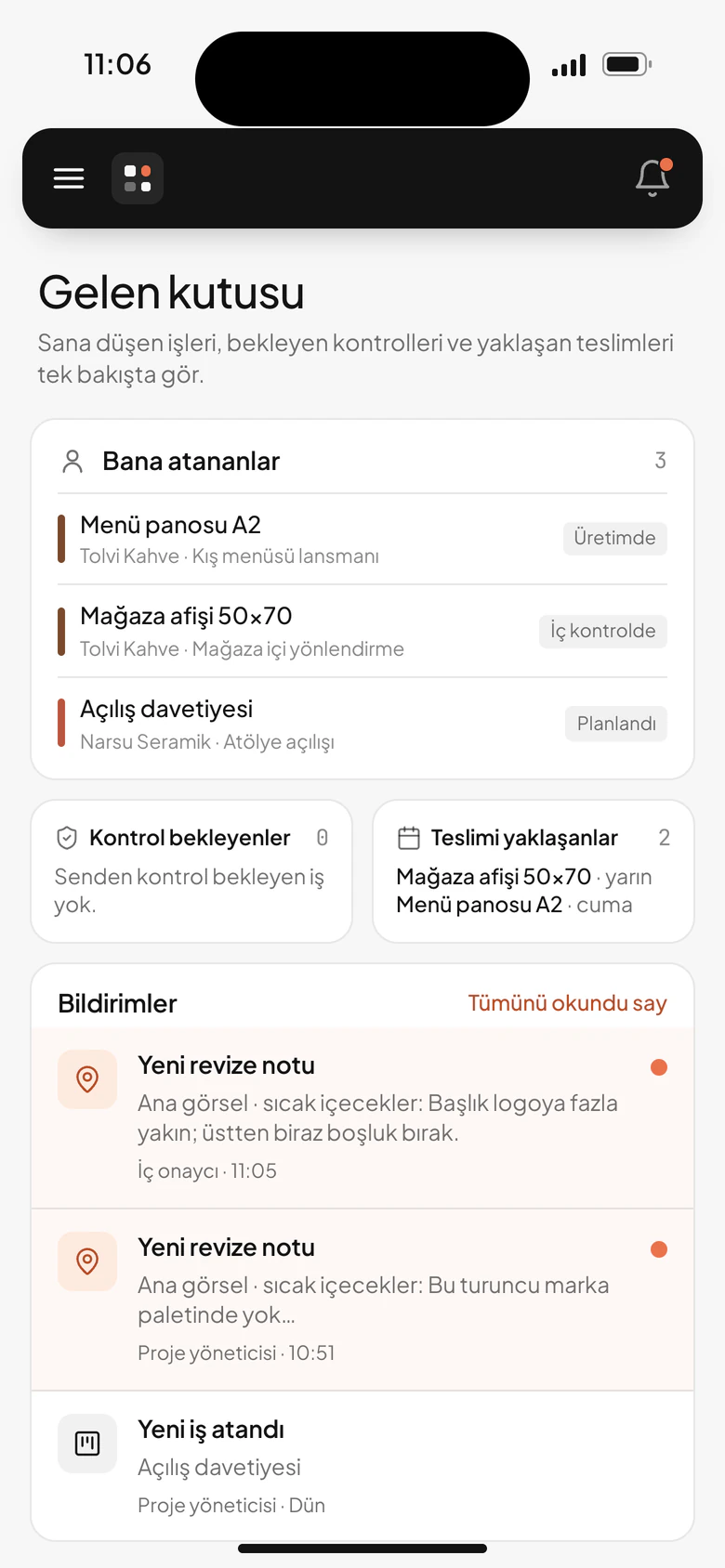
The note lands in the designer’s inbox, alongside the jobs assigned to them, the ones waiting for a check and the ones due soon. Because the panel opens on a phone too, a note doesn’t have to wait for the desk. The corrected file goes back to the same place as a new version.
The same panel at the desk and in your pocket
Project manager, strategist, designer, production, media, internal approver
Production panel
Inbox, jobs, designs, notes, projects, calendar, brands and reports.
Designer and project manager
The same panel, on a phone
Inbox, revision notes, pinch-to-zoom review.
The path of a job
Brief
Copy
Design version
Revision point
Internal approval
Client approval
Publishing record
System rules
point A revision is left on the exact point clicked on the image, with its colour and position.
version A new version never erases the old one; each version keeps its own notes.
approval Internal and client approval are separate records; an approval stays with the version it was given to.
brand Each brand is linked to its own folder; access is given per brand, and per project where needed.
The system rests on these decisions.
Next project
Congress management system